
Passing on Fees
Passing on Fees to Your Attendees
For all events that have a cost, there are fees involved. For a full rundown of those fees, check out our pricing page.
These are the options available to you regarding who will pay those fees:
- absorb all fees yourself – your attendee pays only the ticket price as advertised by you
- pass on part of the fees – you share the fee cost with your attendee and they pay the ticket price + the portion of fee you assign to them*
- pass on all the fees – you collect 100% of the ticket cost, your attendee pays the ticket price + all processing fees set by us and by the payment gateway*
*They will see these fees on their checkout screen as ‘processing fees’.
Once you have made a decision about which way you’re going, keep reading for a ‘how to’.
How to set fee allocation
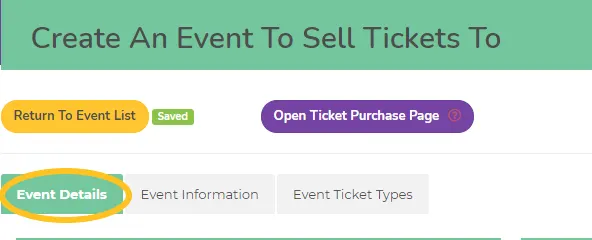
You’ll find the options in the Event Details tab while you are editing or setting up a new event.
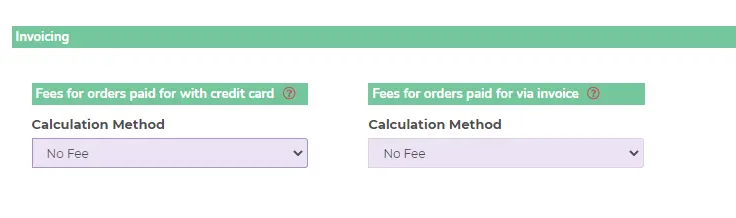
From the dropdown menu under Calculation Method you can choose:
- No fee – the event organiser will absorb all fees
- Fixed order fee – you can set a dollar amount that will be paid directly to you to either offset processing fees or to cover your admin costs etc.
- Percentage of total order – rather than a fixed dollar amount set a percentage of the cost
- Full fee paid by attendee – as it suggests, we will calculate all fees based on your ticket price and pass 100% onto the ticket buyer
Check that you have you chosen your preferred option on both dropdown menus – for orders paid with a credit card and for orders paid via invoice. It’s entirely up to you whether you choose the same option for both.
Has this answered your question? If not, head back to the Help Centre, jump on the chat, or send us an email at [email protected].